Executive Business Consulting
That Connects Strategy and Technology
Bridging the Gap Other Consultants Can't
Effective consulting requires understanding both business operations and technology implementation. With 30 years of executive leadership experience—from warehouse operations to the C-suite—combined with hands-on technology expertise, I provide integrated guidance that works in the real world.
Recently scaled shipments 650% YoY while establishing infrastructure for sustainable growth
Serving distribution, manufacturing, retail services, and logistics companies in Columbus and surrounding communities.
Operations & Business Strategy
Executive-level business consulting from someone who has led organizations and made operational decisions across three decades. I understand the challenges you're facing because I've navigated them myself.
- Strategic planning and execution
- Operations optimization and scaling
- Warehouse and distribution management
- Supply chain efficiency
- Organizational development
- Performance measurement (KPIs)
PROVEN RESULTS
- Doubled revenue while tripling EBITDA
- Scaled shipments 650% YoY with sustainable infrastructure
- Delivered six-figure freight savings through packaging optimization
Business Central & ERP Ecosystem
Deep expertise in Microsoft Business Central, Power Platform, and multiple ERP systems. I understand these systems from both strategic and technical perspectives, occasionally creating prototypes to validate approaches before major investments.
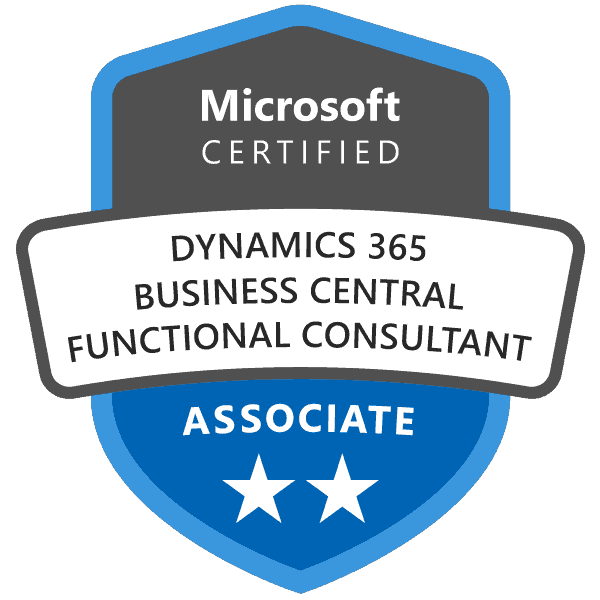
- Microsoft Business Central (Certified)
- Power Platform (Automate, Apps, BI)
- Sage MAS 100/500
- SQL Server, integration development
- Custom integrations and automation
- ERP selection and implementation
PROVEN RESULTS
- Built Business Central handlers enabling Excel users to launch specific items directly
- Consolidated 15+ spreadsheets into automated system processes
- Led cloud ERP migration from NAV to Business Central with minimal downtime
AI Integration
AI is transforming operations. I help you leverage AI to automate processes, improve decision-making, and gain competitive advantage through practical, integrated solutions.
- AI-powered process automation
- Intelligent document processing
- Predictive analytics and forecasting
- AI-enhanced reporting and insights
- Microsoft Copilot integration
- Custom AI solutions for operations
PROVEN RESULTS
- Built enterprise AI solutions before most companies knew they needed them
- Implemented AI workflows for contract analysis and process optimization
- Developed automated document processing with intelligent routing
Common Implementation Challenges
Companies often work with separate consultants for business strategy, IT implementation, and AI initiatives. When these efforts aren't coordinated, implementations can fall short of expectations.
⚠ DISCONNECTED STRATEGY
Strategic recommendations that don't consider technology constraints. When business strategy and systems capabilities aren't aligned, execution suffers.
⚠ TECHNICAL GAPS
Technology implementations that are technically sound but don't fit operational workflow. If consultants haven't lived the operations, critical context gets missed.
⚠ ISOLATED AI SOLUTIONS
AI implementations that exist separately from core systems. Without integration into existing workflows and data, AI projects often fail to deliver ROI.
✓ THE INTEGRATED APPROACH
Business Strategy + Technology Understanding + AI Integration = Effective Implementation
When strategy and implementation are disconnected, projects stall. I combine operational leadership experience with hands-on technology expertise—understanding both what needs to change and how to implement it effectively. This integrated perspective helps validate approaches early (sometimes through proof-of-concept prototypes) before major investments.
Deep Technology Understanding
Effective consulting requires understanding technology deeply enough to bridge the gap between business needs and technical implementation. This includes hands-on experience with ERP systems, automation, database design, and AI integration.
Microsoft Ecosystem
Business Central
- Certified Functional Consultant
- Implementation and optimization
- Custom extensions and modifications
- Integration architecture
Power Platform
- Power Automate (workflow automation)
- Power Apps (custom applications)
- Power BI (analytics and dashboards)
Multiple ERP Systems
Deep Experience With:
- Microsoft Business Central
- Sage MAS 100
- Sage MAS 500
Capabilities:
- ERP selection and evaluation
- System migrations
- Cross-platform integrations
Development & Integration
Technical Capabilities
- Proof-of-concept development
- SQL Server (database design, queries)
- Integration and automation solutions
- API development and integration
Custom Solutions
- Working prototypes for validation
- Automated reporting
- System integrations
AI & Automation
AI Integration
- Process automation with AI
- Intelligent document processing
- Predictive analytics
- Microsoft Copilot integration
Workflow Automation
- Power Automate flows
- Custom automation solutions
Custom Development & Specialized Tools
While custom programming is not typically part of standard consulting engagements, my development experience demonstrates the depth of technical understanding I bring to every project.
Examples of Custom Solutions Created:
- Custom shipping schedule systems integrated with ERP platforms
- Excel toolbars and add-ins that integrate with Microsoft Business Central
- Specialized reporting tools for warehouse operations
- Data integration solutions connecting multiple systems
- Automated workflows bridging operational gaps
Industries We Serve
Deep executive and technical experience in operations-intensive businesses:
Distribution & Logistics
Multi-site inventory management, warehouse operations, supply chain optimization, and complex vendor/customer relationships
Manufacturing
Production scheduling, quality control, shop floor management, supply chain integration, and inventory optimization
Retail Services
Multi-location coordination, service delivery, merchandising, field operations, and performance management
Warehouse Operations
Contract logistics, client management, SLA tracking, complex billing structures, and warehouse management systems
Executive Experience + Technical Understanding
Combining Executive Leadership with Technical Depth
Executive Leadership
- Business leadership (from warehouse associate to President and CEO)
- Multi-site operations and organizational leadership
- Strategic planning and business transformation
- P&L responsibility and business growth
Technical Expertise
- Microsoft Certified Business Central Functional Consultant
- Multiple ERP systems (Business Central, Sage MAS)
- Microsoft Power Platform (Automate, Apps, BI)
- SQL Server, integration development
- AI integration and automation
Why this integrated approach matters:
When developing business strategy, I immediately understand the technology implications and implementation approaches. When recommending ERP systems, it's informed by actually running businesses on those platforms. When suggesting AI integration, I can validate concepts through working prototypes. This comprehensive perspective helps avoid costly missteps and ensures strategies can actually be implemented.

How We Work Together
UNDERSTAND
Deep dive into your business, operations, systems, and strategic goals
- Business and operations assessment
- Technology stack evaluation
- Strategic objectives review
- Gap analysis
STRATEGIZE
Develop integrated solutions that work across business, operations, and technology
- Strategic roadmap
- Technology architecture
- AI integration opportunities
- Implementation plan
IMPLEMENT
Execute with hands-on involvement—strategy AND technical implementation
- Phased execution
- System configuration and development
- Team training and change management
- Testing and refinement
OPTIMIZE
Measure results, refine approaches, and ensure sustained improvement
- Performance tracking
- Continuous improvement
- AI and automation enhancement
- Ongoing strategic guidance
Strategic Assessment Tools
Download our proven frameworks for evaluating your business operations, technology stack, and strategic opportunities. These assessment tools have been used with distribution, manufacturing, and logistics companies to identify improvement opportunities and quantify potential ROI.
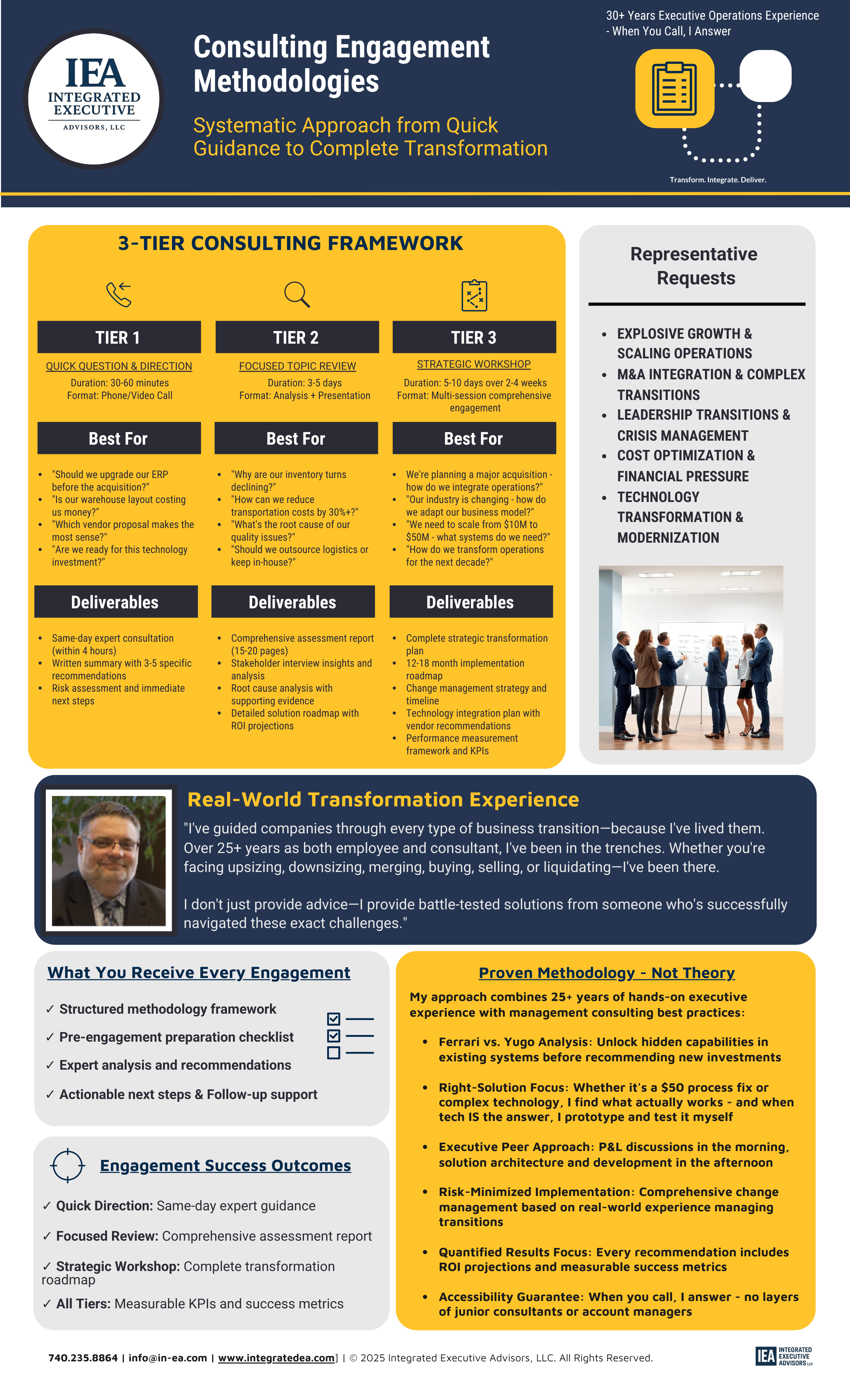
Consulting Engagement Methodologies
Our proven 4-phase methodology for business transformation: Understand, Strategize, Implement, Optimize. See exactly how we work with clients from initial assessment through sustained improvement.
Download Methodology Guide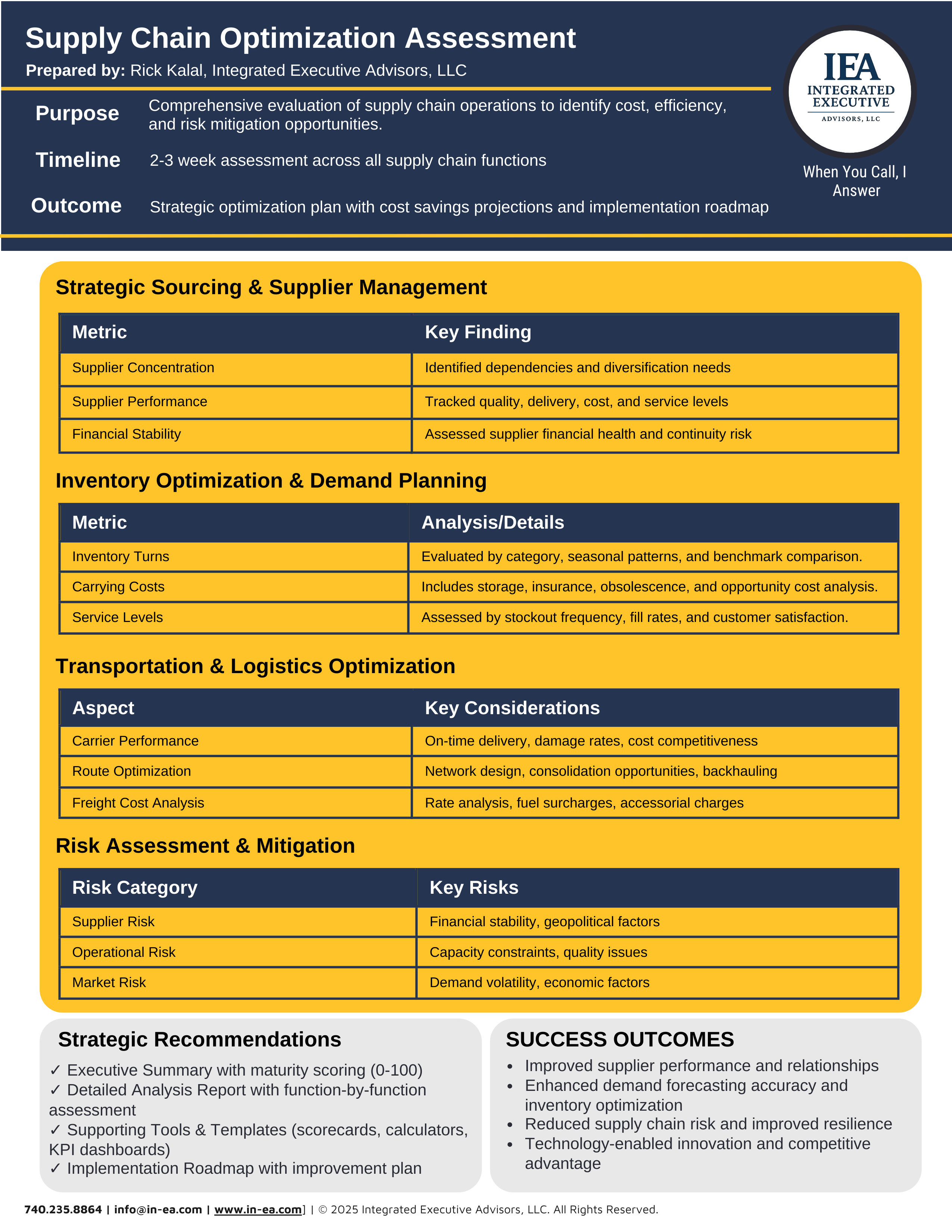
Supply Chain Optimization Assessment
Comprehensive framework for evaluating supply chain efficiency, identifying bottlenecks, and discovering hidden cost savings opportunities. Used with Fortune 500 distribution companies.
Get Free Assessment Framework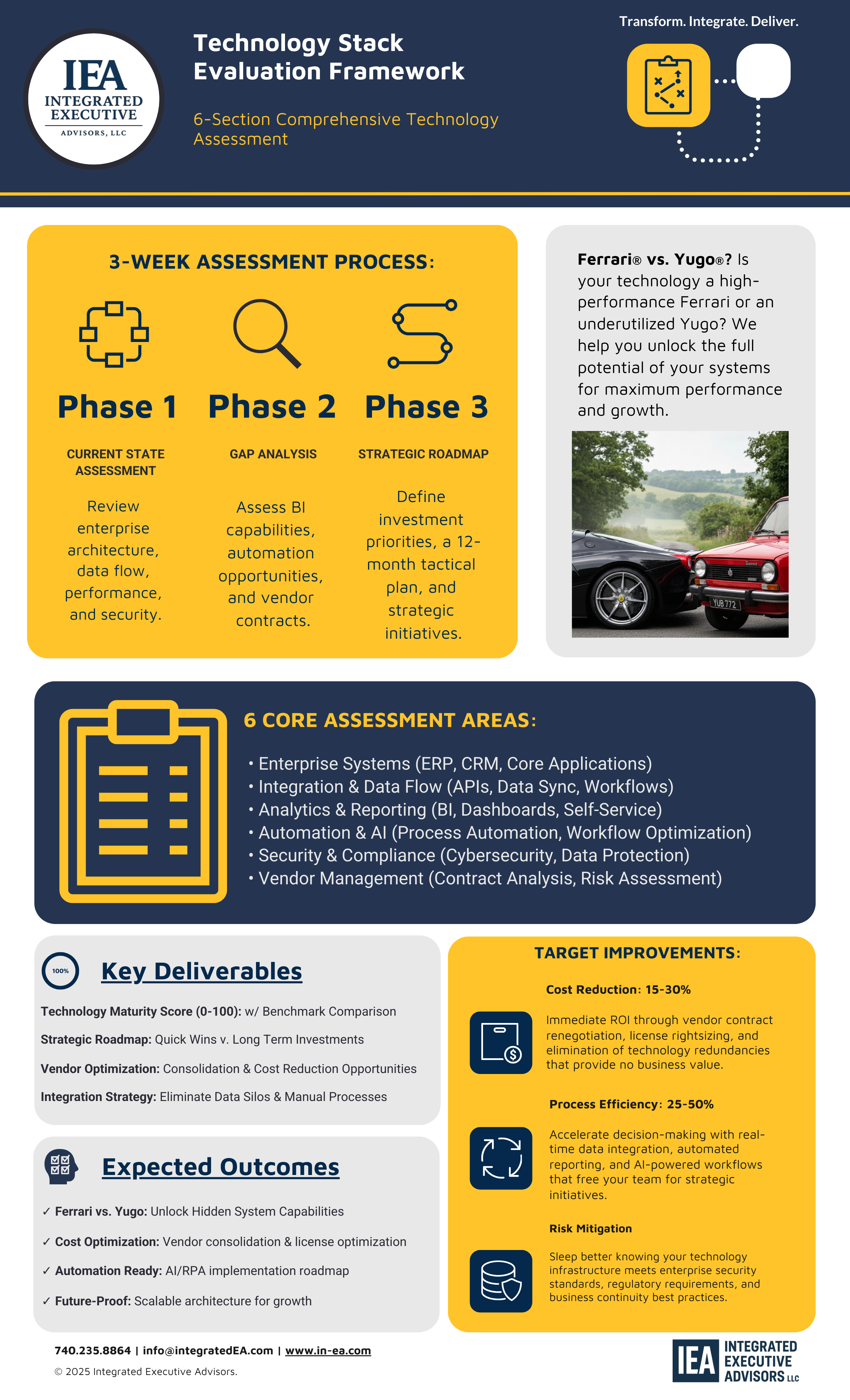
Technology Stack Evaluation Framework
Step-by-step guide for assessing your current technology systems, identifying gaps, and building a strategic technology roadmap aligned with business objectives.
Download Evaluation Checklist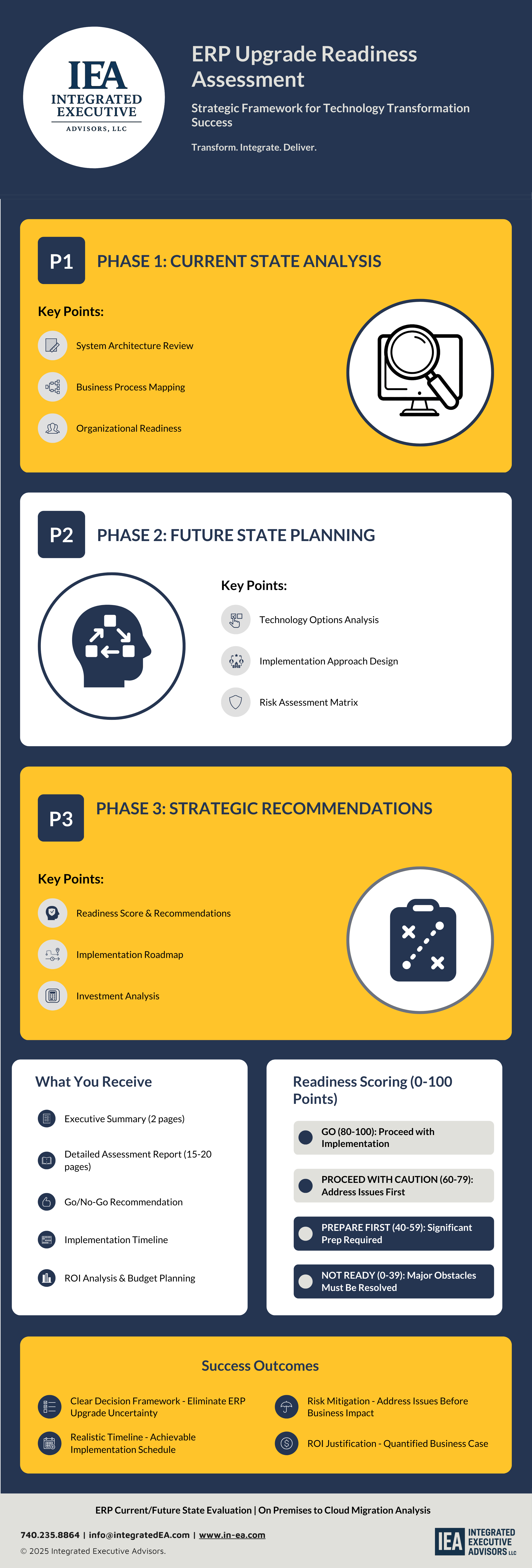
ERP Upgrade Readiness Assessment
Determine if your organization is ready for ERP migration or upgrade. Assess technical requirements, organizational readiness, and change management needs before you invest.
Assess Your ERP Readiness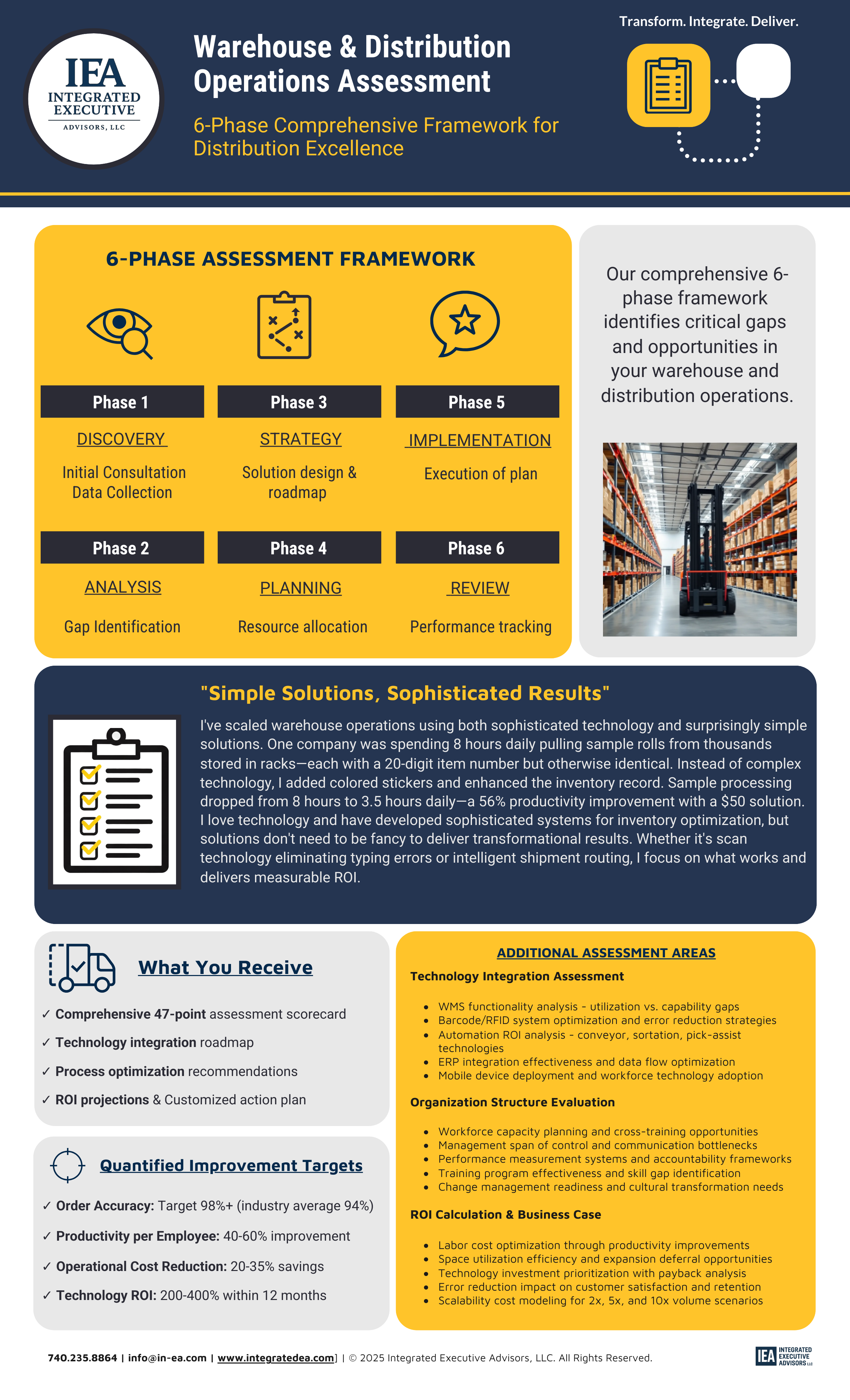
Warehouse & Distribution Operations Assessment
Evaluate warehouse efficiency, inventory management, order fulfillment accuracy, and logistics optimization. Identify improvement opportunities and quantify potential ROI.
Get Free Warehouse Assessment